Megaskin by Jockles
← Previous Chapter · Chapter Index · Next Chapter →
Chapter 2: The Core, Themes, and Extras
Thanks to La_Temperanza, whose How To Change Text on AO3 When the Cursor is Hovering Over It (Or Clicked on Mobile) the translations are built on. Copied and adapted from it: swapping the text on hover or tap, the brackets for readers with Creator's Style off, and the link that makes tapping work on phones.
2.1 Chapter Contents
Everything in this chapter lives in the core CSS - the bit of the skin that every module needs - so you get all of it whichever modules you've picked. It all works in Discord too, apart from the typing line.
- The chat container, and the anatomy of a module: the container and its platform and theme classes
- Accessibility:
hide, alt text and video descriptions (vid-desc), for screen readers and for readers with the workskin switched off - Container settings
- Phone or full width (
wide- Discord is wide by default, and usesnarrowfor phone width instead) - Scrolling for long chats (
no-scrollto switch it off) - Light, dark and auto themes
- Phone or full width (
- Cross-platform profiles (
pfp-), andpov-for a character's phone - Pictures and formatting: pictures, and cropping them to fit boxes and circles (
land) - Links that go nowhere (
fake-link) - Hover and tap translations, and hidden easter eggs (
egg), which also work in ordinary text outside a chat - The typing line (
typing) - not in Discord - Deleted or corrected text (
del) - Putting it together: a chat using both
2.2 The Chat Container, and the anatomy of a Module.
The first step for every chat is to create a container for it:
<div class="mob imsg theme-auto">
</div>
This container has three classes, and each one has a job:
mobsets the phone-sized width and the base text styling. Every chat container except Discord has it.imsgis the platform class. It decides which app the chat looks like. Here it makes an iMessage chat. It can only talk to the css in the iMessage module.theme-autois the theme class. It makes the chat light or dark to match the reader's device. Fixing a Chat to Light or Dark, further down this chapter, explains how to lock a chat to light or dark instead.
2.2.1 Platform Classes/Modules
To change which app the chat looks like, swap the platform class. Here is the full list:
imsg: iMessagewa: WhatsApptw: a Twitter/X post, andtw-reply: a reply stacked under ittwdm: Twitter/X direct messagesig: an Instagram post, andigdm: Instagram direct messagestb: a Tumblr postgm: a Gmail email, or a whole email threadmail: a generic email windowdc: Discord
On a wide screen every chat except Discord is held to the width of a phone, and on a small screen it fills the width of the screen.
2.3 Accessibility
This section explains every part of the workskin that's there for accessibility, but you don't need to add any of it yourself to get started - every example in this tutorial already has all of it built in, so if you copy them as they are, you're covered. It's here so you know what each bit does, and what to keep when you write your own.
All the accessibility tools (click to expand)
A workskin only shows on AO3 itself. Anyone who switches off Creator's Style, or downloads your fic to read on an e-reader, sees your chats as plain text: no bubbles, no colours, and no way to tell which side a message was on. Screen readers can't see the pictures either.
The benefit of using a workskin instead of screenshots of an Instagram cloning tool or similar is that it makes it accessible for people who don't read AO3 on the site natively, so this is everything you need to know to make sure your beautiful socmed fic can be read by everyone. There are three tools for it:
hide, for text that's only there when the workskin is off. Anything in ahidespan disappears when the workskin is on, and shows up as normal text when it's off.- Alt text, for pictures.
- Video descriptions, for videos.
2.3.1 Who's Talking
In a one-to-one chat, no names are shown at all, so every message starts with the speaker's name in a hide span:
Jane: I heard you were working
Ilya: always working I do not rest
<p class="msg in"><span class="hide"><em>Jane:</em> </span>I heard you were working</p>
<p class="msg out"><span class="hide"><em>Ilya:</em> </span>always working I do not rest</p>
With the workskin off, readers get:
Jane: I heard you were working
Ilya: always working I do not rest
The speaker label, piece by piece
<p class="msg in">and</p>- the bubble. With the workskin off, it's just an ordinary paragraph.<span class="hide">and</span>- only there for readers with the workskin off.<em>Jane:</em>- the speaker's name, in italics, with a colon and a space. Keep the space before</span>, or the name runs straight into the message.I heard you were working- the message itself, which everyone sees.
You only need speaker labels in chats made of bubbles: iMessage, WhatsApp, Twitter/X DMs and Instagram DMs. Tweets, posts, emails and Discord messages have the name written out already.
In a group chat, the name above someone's bubble (the who line) shows whether the workskin is on or off, so it only needs a hidden colon after it: <span class="hide">:</span>. Your own messages have no name above them, so they still need the full label.
2.3.2 Profiles
Names, handles and email addresses from a profile come from the CSS, so with the workskin off they're empty. Type a hidden copy inside the span:
<span class="handle pfp-stan"><span class="hide">PuckStan</span></span>
Readers with the workskin on see the profile's version, and readers with it off see what you typed. On Twitter/X, put the @ in your copy, because the workskin only adds it when it's on. It matters most where it's the only name on the screen: chat headers, WhatsApp who lines, Instagram and Tumblr posts, and Discord usernames.
2.3.3 Separators
Some bits of a chat sit apart on screen but come straight after each other in the code, like a name and the "online" underneath it. With the workskin off, they squish together into "Momonline". A hidden dash keeps them apart - <span class="hide"> - </span> - so it reads "Mom - online". Where a space reads better, like between a name and a ✓, use <span class="hide"> </span>.
2.3.4 Alt Text
Every picture needs alt text: a short description of what's in it. Screen readers read it out, and it shows in place of the picture if the picture doesn't load, whether the workskin is on or off. It goes on the picture tag itself, in alt. Describe the picture in a sentence or two, the way you'd describe it to someone over the phone:
Ilya: 
<p class="msg out pic"><span class="hide"><em>Ilya:</em> </span><img src="https://64.media.tumblr.com/a99a60f0293cf7df3604b4a6dd4705f6/ba033a52c8982cb0-cc/s1280x1920/cb4c277845d0c3ef666d16b86b75509266b795b3.jpg" alt="Black and white cat holding out a paw daintily, on a beige and green cat tree. The cat looks to be stepping into the frame from the left"></p>More about alt text
- You can't see alt text on the page, but you can check it's there. On a computer, right-click the picture and choose Inspect (or Inspect Accessibility Properties in Firefox), then look at the accessibility details for the picture - the alt text shows up as its name. Try it on the cat above.
- The grey boxes with a description in square brackets (like
[A photo of the rink]) are already text, so they don't need alt text. - Standard emojis don't need anything, because screen readers read them out and they stay as ordinary text with the workskin off. Only custom images, like ones you've uploaded and linked, need alt text.
- A picture from a character's profile has no alt text, so screen readers skip it. That's fine next to a name, but if what's in the picture matters to your story, use a picture tag with alt text instead.
- So: alt text for pictures, and
hidefor everything else.
2.3.5 Video Descriptions
AO3 doesn't give videos an alt text option, so the workskin has a class for it instead. Put a paragraph with vid-desc straight after the video, with a description of what happens in it in square brackets:
Jockles @jockles25 · 2h
Ilya Rozanov you will always be famous to me
[Video: a tribute edit of Ilya Rozanov, made from Heated Rivalry footage and set to "Would You Come Home" by Tyler Blackburn]
<div class="tw-media video"><iframe src="https://player.vimeo.com/video/1169167060?badge=0&autopause=0&player_id=0&app_id=58479" frameborder="0" title="Ilya Rozanov | Come Home"></iframe><p class="vid-desc">[Video: a tribute edit of Ilya Rozanov, made from Heated Rivalry footage and set to "Would You Come Home" by Tyler Blackburn]</p></div>Say who's in it, what happens, and the song if it's an edit. It works anywhere a video can go, and the WhatsApp and Twitter/X video examples already have one.
How video descriptions work
You can't see the description with the workskin on, but it isn't hidden the way hide is - it's moved off the edge of the screen instead, so screen readers still read it out. Anyone reading with the workskin switched off, or in a download, sees it as normal text under the video.
Everything that's only there for readers with the workskin off
- Speaker labels at the start of a message:
<span class="hide"><em>Jane:</em> </span>. - The colon after a group
whoname:<span class="hide">:</span>. - Separators:
<span class="hide"> - </span>or<span class="hide"> </span>. - Hidden copies inside a profile's name, handle or email span.
- "Replying to", a colon and square brackets around a quoted message in WhatsApp, so it reads "[Replying to Mom: Are you coming Sunday?]".
- The brackets around a translation, so it reads "Diolch yn fawr (Thank you very much)".
- Reactions, in square brackets: "[Jane reacted 😂]" in iMessage, and "[Reactions: ❤️ 😂 3]" in WhatsApp and Twitter/X DMs.
- The
#and the colon in a Discord channel header. - The words after the counts on Instagram's buttons, like "84 comments", and "likes (" and "when liked)" around the clickable heart's two counts.
- Video descriptions (
vid-desc), which screen readers read out too.
You can even hide whole sentences of narration this way, so a chat reads like a normal scene with the workskin off.
2.4 Container Settings
These change the chat box itself: how wide it is, whether it scrolls, and whether it's light or dark.
2.4.1 Phone Width or Full Width
Every chat is built to be the width of a phone, and I recommend leaving it that way. That's the size all of the designs are made for (except Discord, which is designed wide), so the layouts look their best at it. Anything that doesn't contain large images should scale wider just fine, but I've not optimised anything to work wide so you can use it at your own risk. This is mostly for anyone that wants full width texting-type chats for themselves. There is no desktop version of any of the apps in this, though I'd be open to adding them.
If you'd prefer a chat to fill the page, add the class wide to its container. It's available on every chat, and should resize cleanly to any page width:
<div class="mob imsg theme-auto wide">
</div>
The same class works on a tw-thread and a tb-feed. Here's the same chat both ways:
Jane: phone width
Ilya: the usual
Jane: full width
Ilya: stretches to fit the page
Discord goes the other way: it's wide to begin with, and you can add narrow to give it the width of a phone:
The discord container more easily resizes to be small on smaller screens, so the narrow skin is more for if you want it to look intentionally like a phone screen on desktop.
<div class="dc theme-auto narrow">
</div>
Here's the same Discord chat both ways:
Each chat container's size is separate, so you can mix phone-width and full-width chats in one fic if that takes your fancy.
2.4.2 Scrolling Long Chats
Every chat, Discord included, stops growing at about the height of a phone screen. A short chat won't notice. A long one gets a slim scroll bar instead, so one long conversation doesn't take over the whole page.
- iMessage, WhatsApp, Twitter/X DMs and Instagram DMs keep the header and the bottom bar where they are, and scroll the messages in between.
- Twitter/X posts, Instagram posts, Tumblr posts and Gmail emails scroll as a whole.
- Discord stays wide, and the whole window scrolls, header and message box included.
There's nothing to add - it just happens. Here's an iMessage chat with thirty messages in it:
Scott
Scott: Message number 1
Ilya: Message number 2
Scott: Message number 3
Ilya: Message number 4
Scott: Message number 5
Ilya: Message number 6
Scott: Message number 7
Ilya: Message number 8
Scott: Message number 9
Ilya: Message number 10
Scott: Message number 11
Ilya: Message number 12
Scott: Message number 13
Ilya: Message number 14
Scott: Message number 15
Ilya: Message number 16
Scott: Message number 17
Ilya: Message number 18
Scott: Message number 19
Ilya: Message number 20
Scott: Message number 21
Ilya: Message number 22
Scott: Message number 23
Ilya: Message number 24
Scott: Message number 25
Ilya: Message number 26
Scott: Message number 27
Ilya: Message number 28
Scott: Message number 29
Ilya: Message number 30
To switch scrolling off for one chat, so it grows as tall as it needs to, add no-scroll to the container:
<div class="mob imsg theme-auto no-scroll">
  [a very long chat goes here]
</div>
2.4.3 Light, dark and auto themes
Every chat in this tutorial uses theme-auto. It shows the chat in light colours, and switches to dark colours if the reader's phone or browser is set to dark mode. That way everyone gets the version that suits them, and you don't have to do anything extra.
FWIW: AO3 doesn't let a workskin see which AO3 site skin the reader is using, so theme-auto goes by the light or dark setting on their device or browser instead.
2.4.3.1 Fixing a Chat to Light or Dark
Sometimes you'll want a chat to look the same for everyone - a 3am text conversation on a phone that's always in dark mode, for example, or a chat that should always be light. To do that, swap theme-auto in the container for one of these:
theme-auto: follows the reader.theme-light: always light, whatever the reader uses.theme-dark: always dark, whatever the reader uses.
It's the same single word on the container for every module, Discord included.
Examples: every module in light and dark
Here's an iMessage chat, locked to dark and then to light:
Shane - iMessage (always dark)
Shane: this chat is always dark
Ilya: even if the reader uses light mode
The HTML for the dark version:
<div class="mob imsg theme-dark">
  <p class="mob-head">Shane<span class="hide"> - </span><span>iMessage (always dark)</span></p>
  <div class="mob-body">
    <p class="msg in"><span class="hide"><em>Shane:</em> </span>this chat is always dark</p>
    <p class="msg out"><span class="hide"><em>Ilya:</em> </span>even if the reader uses light mode</p>
  </div>
</div>
Shane - iMessage (always light)
Shane: this chat is always light
Ilya: even if the reader uses dark mode
The HTML for the light version:
<div class="mob imsg theme-light">
  <p class="mob-head">Shane<span class="hide"> - </span><span>iMessage (always light)</span></p>
  <div class="mob-body">
    <p class="msg in"><span class="hide"><em>Shane:</em> </span>this chat is always light</p>
    <p class="msg out"><span class="hide"><em>Ilya:</em> </span>even if the reader uses dark mode</p>
  </div>
</div>
2.4.3.2 Every Module
Every other module works exactly the same. Each pair below is identical apart from the theme class. The code is for the dark one - swap theme-dark for theme-light to get the light one.
2.4.3.3 WhatsApp
Mom - online
Mom: Are you coming Sunday?
10:02
Shane: After skate on saturday
10:03 ✓✓
Mom - online
Mom: Are you coming Sunday?
10:02
Shane: After skate on saturday
10:03 ✓✓
The HTML for the dark version:
<div class="mob wa theme-dark">
  <p class="mob-head">Mom<span class="hide"> - </span><span>online</span></p>
  <div class="mob-body">
    <div class="msg in"><p><span class="hide"><em>Mom:</em> </span>Are you coming Sunday?</p><p class="wa-time">10:02</p></div>
    <div class="msg out"><p><span class="hide"><em>Shane:</em> </span>After skate on saturday</p><p class="wa-time">10:03 <span class="wa-read">✓✓</span></p></div>
  </div>
</div>
2.4.3.4 Twitter/X Post and Reply
Anna knows Puck @puckingwhat · 2h
Can't believe that overtime goal.
180 Reposts 1k Likes
Denis @motherpucker · 1h
best game all season
Anna knows Puck @puckingwhat · 2h
Can't believe that overtime goal.
4,312 Reposts 18.2K Likes
Denis @motherpucker · 1h
best game all season
The HTML for the dark version:
<div class="mob tw theme-dark">
<p class="tw-top"><span class="tw-name">Holster</span> <span class="tw-handle">@HolsterInLaw · 2h</span></p>
<p class="tw-text">I need everyone to get really cool about a lot of stuff really fast</p>
<p class="tw-stats"><b>1</b> Reposts <b>12</b> Likes</p>
</div>
<div class="mob tw-reply theme-dark">
<p><span class="tw-name">Zim</span> <span class="tw-handle">@ZimBits · 1h</span></p>
<p>WHAT DID YOU DO??</p>
</div>2.4.3.5 Twitter/X DMs
Shane Hollander - @shanehollanderhockeyplayer
Shane Hollander: saw your tweet
Ilya Roz: You hate the dog? why don't you like the dog?
Shane Hollander - @shanehollanderhockeyplayer
Shane Hollander: saw your tweet
Ilya Roz: You hate the dog? why don't you like the dog?
The HTML for the dark version:
<div class="mob twdm theme-dark">
  <p class="mob-head">Shane Hollander<span class="hide"> - </span><span>@shanehollanderhockeyplayer</span></p>
  <div class="mob-body">
    <p class="msg in"><span class="hide"><em>Shane Hollander:</em> </span>saw your tweet</p>
    <p class="msg out"><span class="hide"><em>Ilya Roz:</em> </span>You hate the dog? why don't you like the dog?</p>
  </div>
</div>
2.4.3.6 Instagram Post
ilya.r - Ottawa, Ontario
[A photo of a small dog, Anya, in a Christmas sweater.]
2,431 likes
ilya.r my child is cuter than you
3 hours ago
ilya.r - Ottawa, Ontario
[A photo of a small dog, Anya, in a Christmas sweater.]
2,431 likes
ilya.r my child is cuter than you
3 hours ago
The HTML for the dark version:
<div class="mob ig theme-dark">
  <p class="ig-top">ilya.r<span class="hide"> - </span><span>Ottawa, Ontario</span></p>
  <p class="ig-photo">[A photo of a small dog, Anya, in a Christmas sweater.]</p>
  <p class="ig-likes">2,431 likes</p>
  <p class="ig-caption"><b>ilya.r</b> my child is cuter than you</p>
  <p class="ig-time">3 hours ago</p>
</div>
2.4.3.7 Instagram DMs
ilya.r - Active now
ilya.r: stop being beautiful where other people can see you
shanehollanderhockeyplayer: Ilya the team decide the pictures not me
ilya.r - Active now
ilya.r: stop being beautiful where other people can see you
shanehollanderhockeyplayer: Ilya the team decide the pictures not me
The HTML for the dark version:
<div class="mob igdm theme-dark">
  <p class="mob-head">ilya.r<span class="hide"> - </span><span>Active now</span></p>
  <div class="mob-body">
    <p class="msg in"><span class="hide"><em>ilya.r:</em> </span>stop being beautiful where other people can see you</p>
    <p class="msg out"><span class="hide"><em>Jane:</em> </span>Ilya the team decide the pictures not me</p>
  </div>
</div>
2.4.3.8 Tumblr
PL puckontheline Reblogged metrosstan · 2h ago
I need to start a rumour.
PL puckontheline Reblogged metrosstan · 2h ago
I need to start a rumour.
The HTML for the dark version:
<div class="mob tb theme-dark">
<p class="tb-header">
<span class="tb-pfp rb colour4">PL</span>
<span class="tb-menu">•••</span>
<span class="tb-name"><b>puckontheline</b>
<span class="tb-subline">Reblogged <b>metrosstan</b> · 2h ago</span></span>
</p>
<div class="tb-body"><p>I need to start a rumour.</p></div>
<p class="tb-tags">#hockey rpf</p>
</div>2.4.3.9 Discord
# general
Message #general
# general
Message #general
The HTML for the dark version:
<div class="dc theme-dark">
  <div class="dc-header hashtag">
    <h3><span class="hide"># </span>general</h3>
  </div>
  <div class="dc-message">
    <p>
      <b class="dc-name colour1">Mark | Brother-in-law-Elect</b>
      <span class="dc-time">10/01/2022</span>
    </p>
    <p><span class="dc-text">Jackie, you there?</span></p>
  </div>
  <div class="dc-input">
    <p><span class="dc-input-text">Message #general</span></p>
  </div>
</div>
2.5 Cross-Platform Profiles
2.5.1 Profile Pictures
Most of the modules have round profile pictures next to people's names. There are three ways to fill one:
- Initials. Type them inside the circle, and add
colour1tocolour10for a colour. - A picture. Put a picture tag, with alt text, inside a
pfpspan. Each module chapter shows you how. - A profile. Set a character's picture once in the core CSS, and use it in every app. I'd recommend this for anyone who turns up in more than one chat.
iMessage, Twitter/X DMs and Instagram DMs don't show profile pictures.
Where the circle goes in each module
- WhatsApp:
wa-pfp, next to group messages and in the header. - Twitter/X:
tw-pfp, at the start of the name line. - Instagram:
ig-pfpbeside the account name, andig-like-pfpfor the little faces in the "Liked by" line. - Tumblr:
tb-pfp, at the start of the header. - Gmail:
gm-pfp, beside the sender. - Discord:
dc-pfp, first thing inside thedc-name. Without it,colour1tocolour10give plain coloured circles, the same as in the other apps.
The colours for colour1 to colour10 are set once in the core CSS and shared with every app, so you can change them there.
2.5.2 Character Profiles
A profile is one character's online identity - their picture, name, handle and email address - set once in the core CSS. You can use it in any chat, in any app, and if something changes, like a new picture or a new handle, you change it in one place and it changes everywhere.
Here's Stan's. It's the simplest profile in this tutorial, and it's all most characters need:
/* PROFILE: Stan */
#workskin .pfp.pfp-stan { background-color: #c06a1f; }
#workskin .wa .who.pfp-stan, #workskin .dc .username.pfp-stan { color: #d2782a; }
#workskin .name.pfp-stan::before { content: "Stan"; }
#workskin .handle.pfp-stan::after { content: "PuckStan"; }
#workskin .email.pfp-stan::after { content: "Puckstan@gmail.com"; }
To make your own, copy Stan's block, change stan to your character's name everywhere in it, and fill in their details. Don't need a line? Delete it. For a picture instead of a coloured circle, swap the colour for background-image: url(LINK);, using a link that ends in .jpg or .png - AO3 is fussy about picture links in CSS.
The core CSS comes with all the profiles from this tutorial's examples - Stan, Yuna, Zim, Holster, Rose, Shane and Ilya - plus Luca, who uses every option there is, with a note on each line. Rename them, change them or delete them.
What each line of a profile does
- Picture: the colour or picture in their circle.
- Name colour: the colour of their name in WhatsApp groups and on Discord. Pick one that reads on both light and dark backgrounds.
- Name: their name, in quotes.
- Handle: their handle, in quotes, used on every app. Leave off the @ - Twitter/X adds it for you.
- Email: their email address, in quotes, for Gmail and the email window.
Extras: a different picture, name or handle on one app, nicknames, and wallpapers
Most characters only need the five lines above. These are for characters who are different somewhere, and Luca's profile has an example of each one, so copy from there.
- A different picture, name or handle on one app: add a line with the app in it.
#workskin .tw .pfp.pfp-luca { background-image: url(LINK); }gives Luca a different picture on Twitter/X only, and#workskin .tw .name.pfp-luca::before { content: "Luca | cat dad"; }gives him a different name there. - Saved as: what the other characters have them saved as on their phones.
#workskin .mob.pov-ilya .name.pfp-shane::before { content: "Jane"; }makes Shane show up as Jane on Ilya's phone. It goes in the profile of the person being named, so everything about how Shane shows up is in Shane's block. - Their phone: a wallpaper for WhatsApp chats on their phone - a colour, or a picture with
background-image. - More than one account: give each one its own profile, like
pfp-shaneandpfp-shane-work.
2.5.3 Using a Profile
In your HTML, add the profile name wherever that character turns up:
- Picture:
<span class="pfp pfp-stan"></span>, inside any profile circle. - Name:
<span class="name pfp-stan"></span> - Handle:
<span class="handle pfp-stan"></span> - Email:
<span class="email pfp-stan"></span> - Name colour: add
pfp-stanto a WhatsAppwholine or a Discorddc-name.
Each one shows what's in the profile for whichever app it's in. Here's Stan in every app he's on (he's not on Tumblr), all from the one profile:
Stan:
same picture everywhere now
09:15
Stan @PuckStan · 2h
same picture everywhere now
PuckStan - Montreal, Quebec
| Stan <Puckstan@gmail.com> | 9:15 AM | |
| to me ▾ | ↩ ⋯ |
<p class="wa-pfp"><span class="pfp pfp-stan"></span></p>
<p class="who pfp-stan">Stan<span class="hide">:</span></p>
<span class="tw-pfp"><span class="pfp pfp-stan"></span></span>
<span class="tw-handle"><span class="handle pfp-stan"><span class="hide">@PuckStan</span></span> · 2h</span>
<span class="ig-pfp"><span class="pfp pfp-stan"></span></span>
<span class="handle pfp-stan"><span class="hide">PuckStan</span></span>
<span class="gm-pfp"><span class="pfp pfp-stan"></span></span>
<span class="gm-address"><<span class="email pfp-stan"><span class="hide">Puckstan@gmail.com</span></span>></span>
<b class="dc-name pfp-stan"><span class="dc-pfp"><span class="pfp pfp-stan"></span></span>Stan</b>Names, handles and email addresses from a profile come from the CSS, so readers with the workskin switched off won't see them. That's why the examples have a hidden copy typed inside each one - there's more on that in Accessibility, above.
Good to know
- A profile picture is cropped to fill the circle by itself, so wide pictures don't need
land. - Names, handles and email addresses take on the look of the text around them, so they fit in anywhere.
- The core CSS chapter explains how profiles work, line by line.
2.5.4 Their Phone
When a chat is on one character's phone, add pov- and their profile name to the chat's container, like pov-shane. In WhatsApp, the chat gets their wallpaper, and in every app, people show up under whatever that character has them saved as. Here's the same chat on Shane's phone, where Ilya is saved as Lily, and on Ilya's, where Shane is Jane:
On Shane's phone:
Lily - online
Shane: did you eat my last protein bar
08:02
Ilya: no
08:02
Shane: the wrapper is in your jacket pocket, Ilya
08:03
On Ilya's phone:
Jane - online
Shane: did you eat my last protein bar
08:02
Ilya: no
08:02
Shane: the wrapper is in your jacket pocket, Ilya
08:03
<div class="mob wa theme-light pov-shane">
  <p class="mob-head"><span class="name pfp-ilya"><span class="hide">Lily</span></span><span class="hide"> - </span><span>online</span></p>

<div class="mob wa theme-dark pov-ilya">
  <p class="mob-head"><span class="name pfp-shane"><span class="hide">Jane</span></span><span class="hide"> - </span><span>online</span></p>
A profile can't pick a theme for you, so choose one for each character's phone and stick with it - Shane's is theme-light and Ilya's is theme-dark. With the wallpaper and the theme, readers can tell whose phone it is before they've read a word.
How saved names work
- Saved names only show where you've used a name span. A name you've typed out stays as it is.
- Anyone without a saved-as line for that phone shows up under the name in their profile, so you only need lines for the nicknames.
- Make the wallpaper suit the theme: a pale one for a light phone, a dark one for a dark phone.
2.6 Pictures and Formatting
2.6.1 Pictures and Alt Text
Wherever a chat can show a picture (iMessage and DM pictures, tweet pictures, Instagram photos and profile pictures, Discord images), you add it with a normal picture tag. The picture has to be hosted somewhere else, and its link goes in src. Squidge.org is a great hosting platform that also lets you upload explicit images, and AO3 has a guide to some image hosting sites if you want more options.
Every picture needs alt text too - a short description for screen readers, which goes in alt. It's all explained in Alt Text, in the Accessibility section above, along with Video Descriptions for videos. Every example with a picture already has its alt text, so you can just swap in your own link and description.
2.6.2 Pictures in Boxes and Circles
Some pictures are cropped to fit a box or a circle: the photo galleries in WhatsApp and Twitter/X, and profile pictures everywhere. AO3 can't crop pictures automatically, so the skin needs extra guidance if you're using a landscape picture:
- A picture that is taller than wide, or square needs nothing. It's made as wide as the box, and the extra top and bottom is cropped away evenly. (In profile pictures the top of the photo is kept, so faces don't get cut off.)
- A picture that is wider than tall needs
class="land"on the picture tag. It's made as tall as the box, and the extra sides are cropped away evenly.
Here's a WhatsApp four-photo gallery with two landscape cat pictures in it (top left and bottom left), first without land and then with it, followed by the code:
Without land:
Yuna:


12:26 ✓✓
With land on the two landscape pictures:
Yuna:
12:26 ✓✓
<div class="msg out gallery"><p class="hide"><em>Yuna:</em></p>
  <p class="wa-photos four">
    <span class="wa-photo"><img class="land" src="https://64.media.tumblr.com/694221426fb8229480fb3fb87b528ca7/ba033a52c8982cb0-01/s1280x1920/636653581e07a970475075f480c1717b23a72c0a.jpg" alt="Black and white cat staring through a gap between a screen and a desk, with blurred cables hanging down around and blue sky behind"></span>
    <span class="wa-photo"><img src="https://64.media.tumblr.com/6898dc3a42cc6c7ab9729360b71366e4/ba033a52c8982cb0-bf/s2048x3072/b548d2fe61b02e530c0edd2ee6a6bd56ab73ad2c.jpg" alt="Black and white cat screaming at the camera, on a red patterned rug"></span>
    <span class="wa-photo"><img class="land" src="https://64.media.tumblr.com/a99a60f0293cf7df3604b4a6dd4705f6/ba033a52c8982cb0-cc/s1280x1920/cb4c277845d0c3ef666d16b86b75509266b795b3.jpg" alt="Black and white cat holding out a paw daintily, on a beige and green cat tree. The cat looks to be stepping into the frame from the left"></span>
    <span class="wa-photo"><img src="https://64.media.tumblr.com/45b3b47d7c42b593f6242a40153a629c/ba033a52c8982cb0-d7/s2048x3072/4e71b117e87747d78dd3d95595cecc77eec48d38.jpg" alt="Black and white cat sitting in an opened red suitcase, carry on size, on the floor behind a white door, and on a red patterned rug"></span>
  </p>
  <p class="wa-time">12:26 <span class="wa-read">✓✓</span></p>
</div>
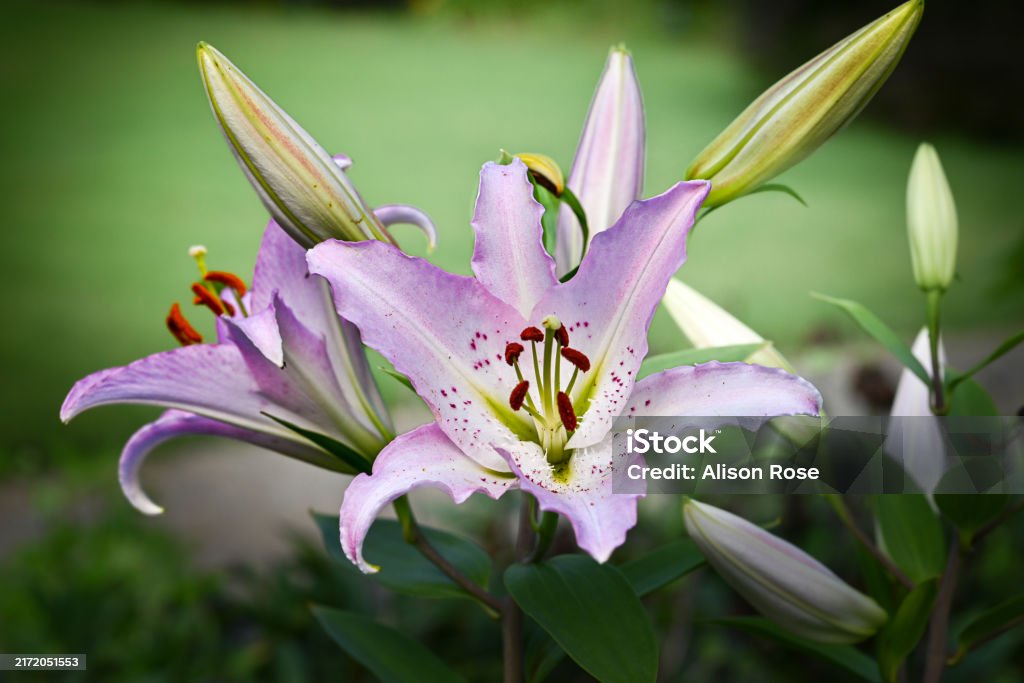
It works the same way for profile pictures. Jane's and Lily's pictures are both landscape, so here they are first without land and then with it, followed by the code for one of them:
Without land:

Jane:
can you see my picture properly?
09:15
Lily:
mine doesn't fill the circle either
09:16
With land:
Jane:
that is much better
09:15
Lily:
mine fills the circle now too
09:16
<p class="wa-pfp colour3"><span class="pfp"><img class="land" src="https://www.shutterstock.com/shutterstock/photos/1100283806/display_1500/stock-photo-beautiful-lavender-flower-in-the-dalat-flower-park-selective-focus-1100283806.jpg" alt="Profile picture of Jane, a lavender flower"></span></p>If you forget land, nothing is squashed or stretched, but a wide picture won't fill its box, so a strip of the box's colour shows above and below it. The tall boxes in two-photo and three-photo galleries always crop the sides, so they never need land.
2.7 Links That Go Nowhere
Chats are full of links, but most of the time you don't want a real one - it could take the reader away from your fic, or point at a page that doesn't exist. For a link that looks clickable but doesn't go anywhere, put the address in a span with fake-link. It's coloured like a link in whichever app the chat is (and underlined too, apart from in Discord, which doesn't underline its links), so it works in every chat, Discord included:
Jane: have you seen hockeynews.example/overtime-goal
<p class="msg in"><span class="hide"><em>Jane:</em> </span>have you seen <span class="fake-link">hockeynews.example/overtime-goal</span></p>Make up any address you like, since it's only text. A real link written with <a href="..."> inside a chat gets the same look, so use that if you do want it to go somewhere.
Works in every module except Discord
These two are for any chat built on the mob container, which is every module apart from Discord. Discord is its own kind of window, so these don't apply there.
2.8 Hover and Tap Translations
If your characters switch languages every now and then, you can show the original words with the translation tucked away behind them. The reader sees the original with a dotted line under it, and when they hover over it on a computer, or tap it on a phone, the translation swaps in. It works in ordinary text as well as inside every chat and post in the skin, and the words take on the colour of whatever they're sitting in (dark mode included), so they never get mixed up with a chat link:
<a class="tl" href="#t1"><span class="orig">Diolch yn fawr</span><span class="tltn"><span class="hide"> (</span>Thank you very much<span class="hide">)</span></span></a>The important bit is the opening tag: <a class="tl" href="#t1">.
tlis what makes the link a translation.- Every translation you make needs its own number in the
href. Just count up after the t -#t1,#t2,#t3and so on - and it'll work. Keep the numbers going across the whole fic rather than starting again each chapter, because readers can choose to see every chapter on one page. - The link is what makes the words tappable on a phone, and the
#means the page doesn't jump anywhere when someone taps it.
What the rest does:
origis the text the reader sees first.tltnis the translation, shown on hover or tap.- The two
hidespans add " (" and ")", but only when Creator's Style is off, so readers see "Diolch yn fawr (Thank you very much)" instead of the two run together.
Keep the whole thing on one line of code, like above, because a line break inside it can leave a gap in the middle of your sentence. Here it is in a sentence - hover over or tap the dotted words:
"Diolch yn fawr (Thank you very much)," he said.
The finished chat looks like this, and here is the full HTML:
<p>"<a class="tl" href="#t1"><span class="orig">Diolch yn fawr</span><span class="tltn"><span class="hide"> (</span>Thank you very much<span class="hide">)</span></span></a>," he said.</p>In a chat, you just put it in the message text like any other words, with the next number along. This one is in an iMessage, and the next one is in a tweet:
Howell - iMessage
The finished chat looks like this, and here is the full HTML:
<div class="mob imsg theme-auto">
  <p class="mob-head">Howell<span class="hide"> - </span><span>iMessage</span></p>
  <div class="mob-body">
    <p class="msg in"><span class="hide"><em>Howell:</em> </span>rough day?</p>
    <p class="msg out"><span class="hide"><em>Ilya:</em> </span>the worst</p>
    <p class="msg in"><span class="hide"><em>Howell:</em> </span>come here, you need a <a class="tl" href="#t2"><span class="orig">cwtch</span><span class="tltn"><span class="hide"> (</span>hug<span class="hide">)</span></span></a></p>
  </div>
</div>
Ilya Rozanov @irozanov · 7m
Bore da (Good morning)! I am learning Welsh now. Do not ask why.
The finished chat looks like this, and here is the full HTML:
<div class="mob tw theme-auto">
  <p class="tw-top"><span class="tw-name">Ilya Rozanov</span> <span class="tw-handle">@irozanov · 7m</span></p>
  <p class="tw-text"><a class="tl" href="#t3"><span class="orig">Bore da</span><span class="tltn"><span class="hide"> (</span>Good morning<span class="hide">)</span></span></a>! I am learning Welsh now. Do not ask why.</p>
</div>
A few things worth knowing:
- A translation can have formatting inside it, like
<em>for italics, because it's just ordinary HTML. - A chat bubble or box will grow or shrink a little to fit the translation when it swaps in. That's normal.
- I'd recommend a line in your author's note telling readers they can hover over or tap the dotted words, so they know to try.
2.8.1 Hidden Text and Easter Eggs
A translation doesn't actually have to be a translation. The text that swaps in can be anything at all, so the same trick works for hidden text and easter eggs - a character's private thought, a joke, a hint about a later chapter, or a clue for anyone who goes looking. Put the visible words in orig and the surprise in tltn.
If you want it properly hidden, so nobody knows it's there until they stumble on it, add egg to the class: <a class="tl egg" href="#t4">. It works exactly like a translation (with its own number, the same as any other), but there's no dotted line, so the words take on everything about the text around them - the colour, bold, italics, the colour of a chat bubble - and look like ordinary text until someone hovers over or taps them. It works in every module. Hover over or tap the word "fine":
Scott - iMessage
Scott: how are you holding up?
Ilya: I'm fine (not fine. not even a little bit)
<p class="msg out"><span class="hide"><em>Ilya:</em> </span>I'm <a class="tl egg" href="#t4"><span class="orig">fine</span><span class="tltn"><span class="hide"> (</span>not fine. not even a little bit<span class="hide">)</span></span></a></p>Readers with the workskin switched off still get the hidden text in brackets after the original, so nobody misses out completely. And if you'd like every translation in your fic to look like this, the core module's CSS chapter shows you the one line to delete instead.
2.9 Typing Line
To show that someone is typing, add a paragraph with typing at the end of the messages. It shows up as a small, slanted line of text:
Scott is typing...
<p class="typing">Scott is typing...</p>2.10 Deleted or Corrected Text
To strike a message through, as if the sender deleted or corrected it, wrap the words in a span with the class del:
Ilya: I'm fine
<p class="msg out"><span class="hide"><em>Ilya:</em> </span><span class="del">I'm fine</span></p>2.11 Putting It Together
Scott - @scotthunter
Ilya: I'm fine
Ilya: I'm not fine
Scott is typing...
The finished chat looks like this, and here is the full HTML:
<div class="mob twdm theme-auto">
  <p class="mob-head">Scott<span class="hide"> - </span><span>@scotthunter</span></p>
  <div class="mob-body">
    <p class="msg out"><span class="hide"><em>Ilya:</em> </span><span class="del">I'm fine</span></p>
    <p class="msg out"><span class="hide"><em>Ilya:</em> </span>I'm not fine</p>
    <p class="typing">Scott is typing...</p>
  </div>
</div>
That's all of the HTML for the themes, translations and extras. The CSS behind them is the core of the workskin - the part every module needs - and the CSS chapter after this one explains how it all works.